Journal guide
Notion trading journal vs a purpose-built journal
A Notion trading journal works for flexible notes, but trade imports, duplicate checks, prop account rules, and reconciliation require more upkeep.
A Notion trading journal can be a good notebook
A Notion trading journal works when your main need is a flexible page for screenshots, setup notes, and written reflections. You can create database properties for date, symbol, direction, result, and tags, then build views around your own process.
That flexibility is useful. The limitation appears when the notebook must also behave like a trade ledger. Broker files contain executions, fees, partial fills, and account identifiers that need consistent handling. A purpose-built journal can remove repeated setup, while Notion leaves the data model and maintenance to you.
Where the template starts to break down
A template does not create a supported broker connection. You must enter trades, paste rows, or build and maintain your own automation. You also need a method for finding duplicates, grouping fills into positions, and checking whether the database matches the original statement.
Those tasks get harder across several accounts. A formula or relation that works for one workflow may not carry the correct drawdown already used, profit target, or consistency setting into another. Notion is not wrong for the job, but the trader owns every rule and exception. The Excel comparison covers a similar tradeoff with more direct formula control.
What a purpose-built journal changes
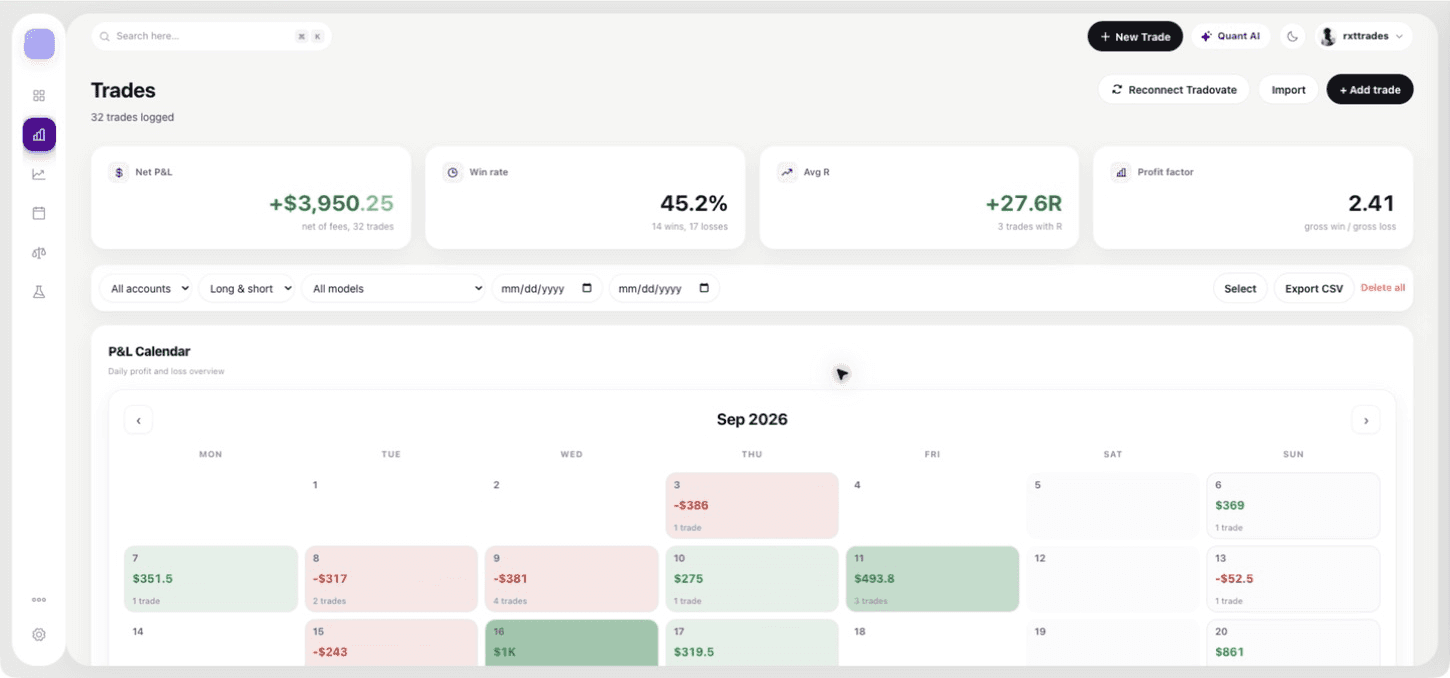
QuantLab connects Tradovate through OAuth and ProjectX with a username and API key. It also maps CSV fields, normalizes executions, can group nearby fills into positions, and uses duplicate fingerprints to stop repeated CSV records.
For prop accounts, QuantLab stores a target, maximum drawdown, drawdown already used, and a consistency limit. It calculates maximum drawdown and evaluates the configured consistency rule. These features reduce setup, but they still require verification against the broker statement and current firm rulebook. Read the prop firm journal guide for that process.
Notion and QuantLab side by side
| Question | Notion trading journal | QuantLab Journal |
|---|---|---|
| Written notes and custom pages | Highly flexible | Focused trade notes and review |
| Tradovate connection | You build the workflow | OAuth connection |
| ProjectX connection | You build the workflow | Username and API key connection |
| CSV duplicate protection | You design it | Duplicate fingerprints |
| Prop account settings | You create properties and formulas | Target, drawdown, and consistency fields |
| Current price | Depends on your Notion plan | Free during beta |
QuantLab is futures-focused and does not claim native support for every broker. Notion may remain the better choice when free-form research notes are the center of your process and trade calculations are secondary.
Use both only when each has a clear job
You can keep long-form playbooks and screenshots in Notion while using a purpose-built journal for imported executions and account review. If you split the workflow, decide which tool owns each fact. The broker statement should remain the source for executions, and the firm's dashboard should remain the source for official account status.
Avoid copying the same P&L into two editable systems without a reconciliation rule. That creates more places for a correction to be missed. Link the note to the date or account you reviewed, then keep the calculated record in one place.
How to decide whether to move
Take one week from the Notion database and import the same source data into the journal you are testing. Compare execution count, fees, daily result, and position grouping. Then perform the same review in both tools.
Stay with Notion if its flexibility produces the better decision and the manual upkeep is manageable. Move the ledger portion when imports and repeated calculations have become the work. QuantLab is free during beta, so a supported futures trader can test that split without a journal subscription today.
Questions
Can Notion be used as a trading journal?
Yes. It works well for flexible notes and custom databases, but you maintain the imports, formulas, and duplicate checks.
Why use a purpose-built journal instead?
A purpose-built journal can handle supported connections, normalized imports, duplicate protection, and repeated account calculations.
Can I use Notion and QuantLab together?
Yes. Keep each tool's job clear, such as Notion for long-form notes and QuantLab for the reconciled trade record.
Review your own futures trades
QuantLab Journal is free during beta. Import your records, then check an idea in the delayed-data public backtester.