Journal guide
Trading journal app for futures trade review
Use a futures trading journal app to sync Tradovate or ProjectX, import CSV files, review prop account rules, and access the journal in a browser.
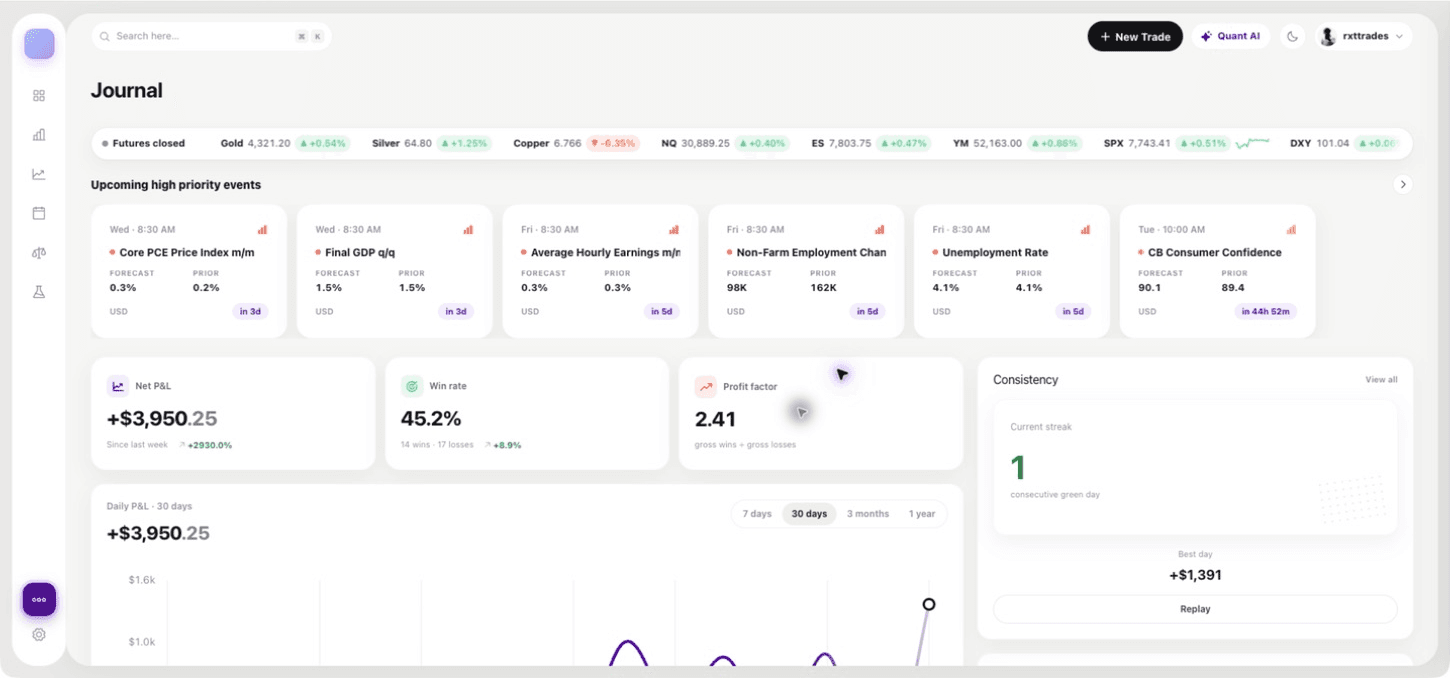
What a trading journal app should do
A trading journal app should get complete trades into a record, keep accounts separate, and turn the history into a review you can repeat. For futures prop traders, it should also preserve the account settings that affect how a session is judged.
QuantLab Journal is a web application built around that workflow. It is free during beta and focuses on futures. You can open the site in a desktop or mobile browser, but QuantLab does not claim a native iOS or Android journal app. The prop firm trading journal guide explains the account-rule layer.
Sync Tradovate and ProjectX
Tradovate connects through OAuth. You can add more than one connection, choose accounts, and initiate a history sync. ProjectX connects with a username and API key, validates those credentials, and imports selected accounts. It supports manual sync and can refresh in the background when its last sync is more than 30 minutes old.
These are separate connection paths with different behavior. Read the guide to a journal that syncs with Tradovate and ProjectX before assuming that an account uses one provider. Topstep is supported through ProjectX. Other setups can use CSV when a native connection does not apply.
Import a CSV when sync does not fit
The CSV importer lets you map fields from another broker statement. QuantLab normalizes executions, can group nearby fills into positions, and uses account-scoped fingerprints to avoid adding the same CSV records twice.
Inspect the mapping and start with a small date range. After import, compare the contract, side, quantity, price, fees, and result with the original statement. An app can reduce manual entry, but it cannot make an incomplete source file complete. Keep the statement available for every reconciliation.
Review the account, not only the chart
QuantLab prop accounts can store a profit target, maximum drawdown, drawdown already used, and a consistency limit. The app calculates maximum drawdown from recorded trades and evaluates the consistency value you configure. Behavior detectors can surface patterns in the record, and replay can apply alternate risk limits to your own fills.
Those outputs are review tools. They do not replace the firm's current rulebook or official account dashboard, and they do not guarantee an evaluation result. The firm comparison covers eight prop firms and points traders back to current live terms.
Mobile and desktop access
Use the desktop browser when you need more room to reconcile an import or compare accounts. A mobile browser can cover shorter checks when you are away from the desk. Because there is no claimed native mobile app, do not expect App Store or Play Store installation, native notifications, or offline storage.
The same account record matters more than the device. Confirm that recent executions are present before acting on a dashboard number. If you need live market research, note that QuantLab's public candle-by-candle backtester uses data delayed by at least 15 minutes. It is not a live trading terminal.
Test the app with one real session
Connect or import one account, reconcile a session, then record one correction for the next session. If the workflow makes the source easier to inspect and the correction easier to check, add more history. If it creates a mismatch, resolve the data path before comparing performance.
This test also reveals whether a browser-based app fits your routine. The best device access is the one that lets you verify records consistently without turning the journal into a second trading platform.
Questions
Does QuantLab have a trading journal app?
QuantLab Journal is a web application that you can access in a browser.
Is there a native iPhone or Android app?
No native iOS or Android journal app is claimed.
Can the app sync trades?
Yes. QuantLab supports Tradovate through OAuth and ProjectX through a username and API key, plus CSV import.
Review your own futures trades
QuantLab Journal is free during beta. Import your records, then check an idea in the delayed-data public backtester.